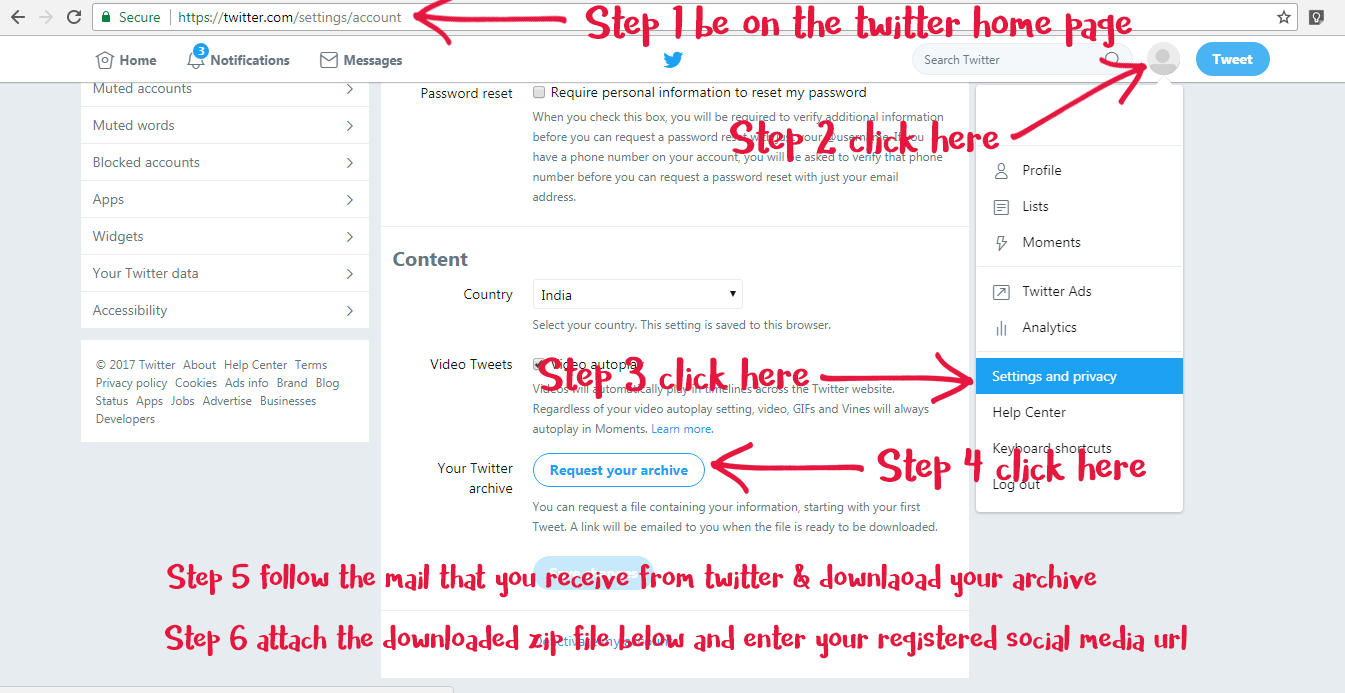
Process for Twitter archive submission:
- On twitter.com go to your Account settings by clicking on the profile icon at the top right of the page and selecting Settings from the drop-down menu.
- Click Request your archive.
- When your download is ready, Twitter send an email with a download link to the confirmed email address associated with your Twitter account.
- Once you receive the email, click the Go now button to log in to your Twitter account and download a .zip file of your Twitter archive.
- Attach the zip file below and enter your Social Media URL